NBA 2K27 Camera Settings
2K Cam, Vertical, Coach Cam, zoom, height, and the angle that actually helps you read the floor.
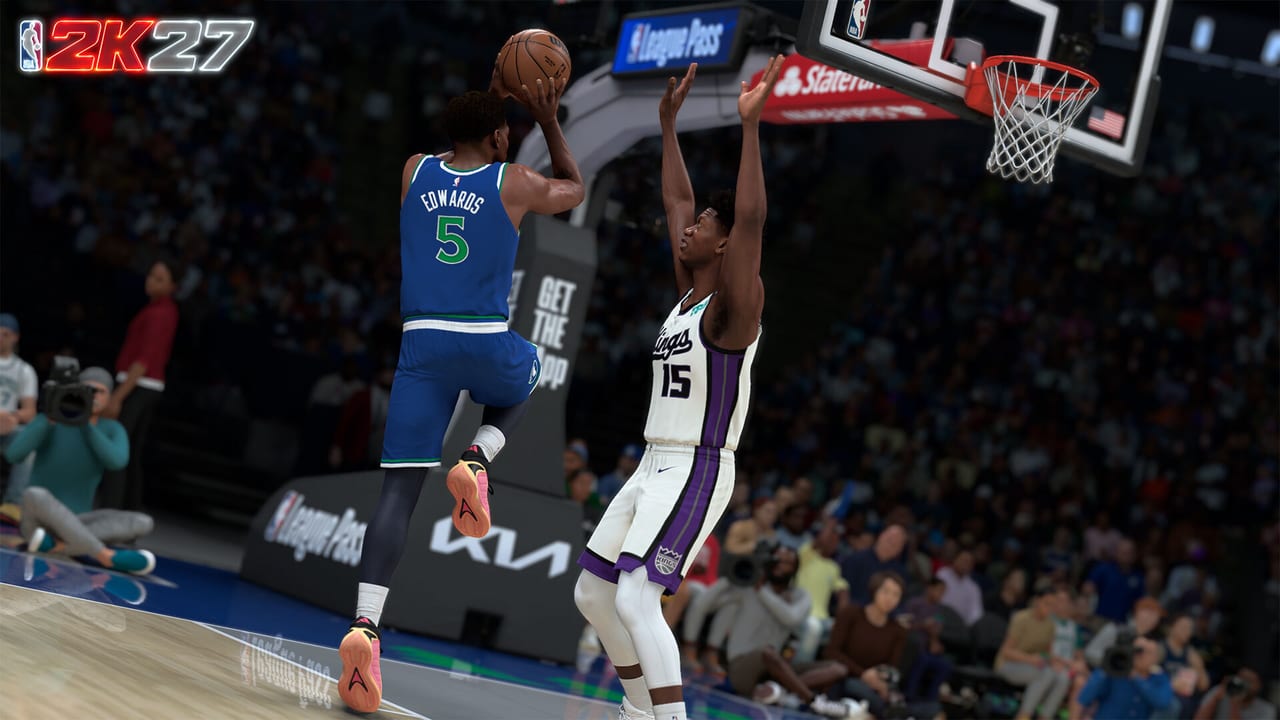
Camera settings are the most ignored advantage in NBA 2K27. A bad angle hides passing lanes, makes help defense unreadable, and turns a clean drive into a charge because you did not see the rotating big. This page covers every option in the camera menu, what the community tested during Early Access, and which combination actually clears the floor.
Read this before you touch how to shoot if you have not yet locked a camera preference. The jumper you green in Learn 2K has to survive the camera you actually play with, not the one that looks cinematic.
Default cameras: what 2K ships
| Camera | Best for | Common use |
|---|---|---|
| 2K Cam | General play, balanced view | Default, most players |
| Vertical | Fast pace, wing sightlines | Solo Rec, downhill players |
| Coach Cam | Spacing, team reads | Team play, coaches |
| Broadcast | Cinematic, casual | Franchise, Play Now |
| Baseline | Traditional, mid-range | Legacy players |
2K Cam is the shipped default and the safest starting point. It sits above the action and gives you enough floor to see corner players without zooming so far out that everything becomes small. Vertical puts you on the wing, which compresses the paint and gives you a cleaner driving lane but a worse view of the opposite corner. Coach Cam is the widest and highest, which is why pro am and team players default to it: you see the whole floor, not just your man.
Zoom, height, and angle
Zoom is the single most impactful setting after the camera type. Zooming in tightens the frame and makes individual defender positioning clearer. Zooming out adds peripheral floor awareness. During Early Access, the community settled on a mid-range zoom for solo Rec and a wider zoom for team play, but both preferences depend on your screen size and viewing distance.
Height adjusts how high the camera sits above the action. A higher camera gives you a better view of the whole court. A lower camera makes the paint feel larger and helps with entry passes and post entries. Angle is tied to the camera type: 2K Cam and Coach Cam are fixed angles, while Vertical and Baseline let you tune pitch.
The practical rule from Early Access testing: if you play on a television at a normal couch distance, start at zero zoom and mid height. Adjust zoom in small steps of 5 after you play ten games. If you sit closer or play on a monitor, you can go tighter on zoom without losing peripheral vision.
Camera presets by play style
Solo Rec and Park
Solo players who drive and kick need to see passing lanes and help rotations. Coach Cam at mid zoom is the common recommendation because the height clears the floor and the angle does not tilt toward one sideline. If you are a primary ball handler who lives in the paint, Vertical at tight zoom gives you a cleaner view of the rim and the rotating big.
Team and Crew play
Teams that run sets need to see the whole floor. Coach Cam at wider zoom lets you read the spacing on both ends of the court before you make a decision. If your crew runs a motion offense, the wider view is worth the smaller player size because you will catch the open man before the defense rotates.
MyCAREER and MyNBA
Both modes have long stretches where you are watching cutscenes and navigating menus. The camera in these modes is less about competitive advantage and more about what you find comfortable for forty-plus hour stretches. Default 2K Cam at zero zoom works fine. Switch only if you feel neck strain after a session.
Settings that actually change feel
The camera type and zoom are the two settings that change gameplay feel. Everything else in the camera menu is visual preference. Angle and pitch adjustments do not affect collision detection or shot timing; they only affect how the court looks on your screen. If you change nothing else, start with camera type, then zoom, then height in that order.
How to change camera settings
- Pause the game.
- Go to Options / Quit.
- Select Camera Settings.
- Choose your camera type, then fine-tune zoom and height.
- Save and test in Learn 2K before you queue anything ranked.
Do not change camera settings mid-Rec session. The visual recalibration costs you at least one game of bad reads. Lock the camera, play five games, and decide whether the floor reads feel right before you change it again.
What the Early Access community found
Early Access players during the August 26 to September 4 window consistently reported that Coach Cam at mid zoom gave the cleanest floor reads for both on-ball and help defense. Vertical was preferred by downhill guards who attack the rim. 2K Cam at default zoom remained the most common solo Rec choice because it balances both ends of the floor.
Camera preference is personal, but the pattern was clear: wider and higher cameras reduced the number of charging calls and missed help rotations. Tighter cameras helped finishers read the rim and the contest. Match the camera to your role, not to a highlight you saw on YouTube.
Frequently Asked Questions
Quick answers to the most common NBA 2K27 questions.
What is the best camera setting in NBA 2K27?
Coach Cam at mid zoom is the most recommended for team play and floor reading. Solo drivers often prefer Vertical for a cleaner rim view. Start there and adjust by role.
Does camera settings affect shot timing?
No. Camera type and zoom are visual only. They do not change shot timing, green windows, or collision detection.
Should I change camera settings mid-Rec session?
No. Visual recalibration costs you reads for at least one game. Lock a camera, play five games, then adjust if needed.
What zoom level should I use?
Start at zero zoom and mid height. Adjust in steps of 5 after ten games. Closer viewing distances can go tighter; couch TV setups should stay wider.
What camera do pro players use in NBA 2K27?
Coach Cam is common in pro am and team play because the wider view clears the floor. Solo Rec leans on 2K Cam and Vertical.
Where do I change camera settings?
Pause, go to Options / Quit, select Camera Settings. Test changes in Learn 2K before queuing ranked.