NBA 2K27 Defense Settings
Man-to-man, zone, deny, help, and the defensive sliders that actually stop drives in The City and Rec.
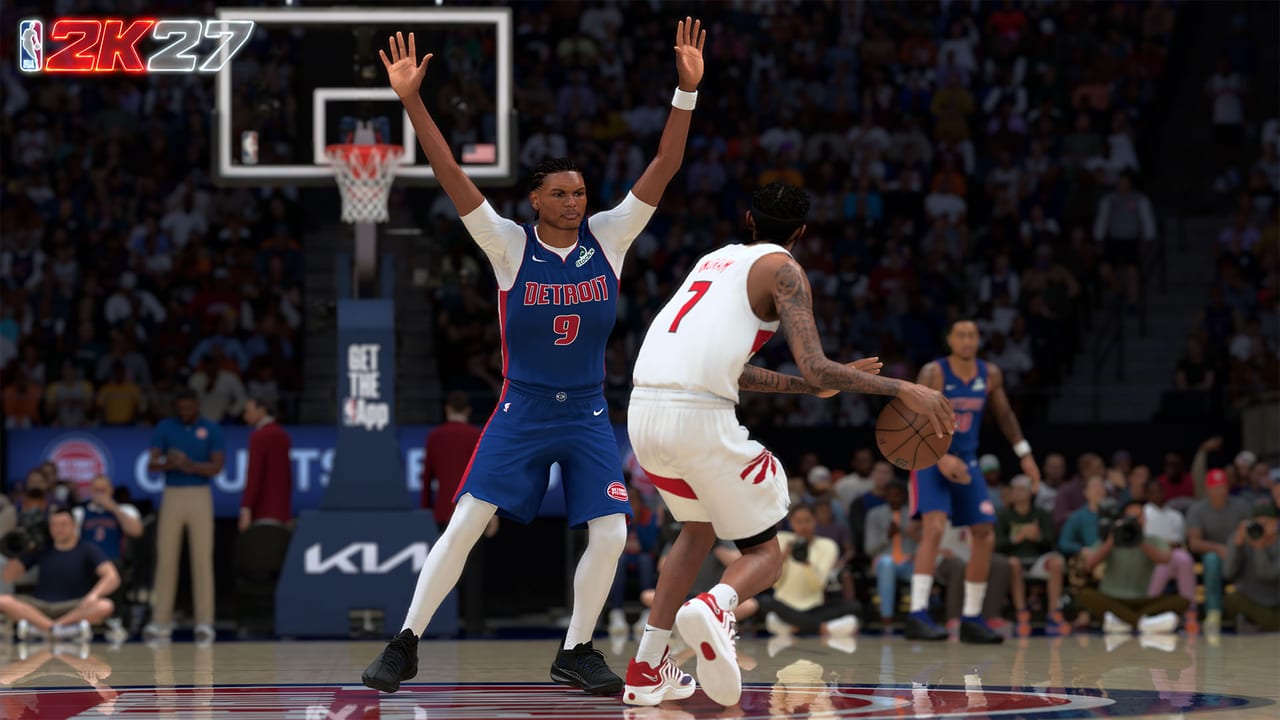
Defense wins championships in NBA 2K27, but only if you know what your settings actually do. A player on Deny who keeps getting burned is a settings problem, not a build problem. This guide covers defensive presets, individual defensive settings, intensity sliders, and how to stop drives in The City and Rec.
Read this with the controls list. The first step in defense is knowing what your triggers and sticks actually do.
Defensive presets
NBA 2K27 offers three main presets. Each has different court behavior.
Man-to-Man
Each defensive player is assigned to a specific offensive player. This is the standard way to limit individual scoring threats. If your opponent has a primary scorer you must stop, this is the default option. Man-to-Man works well when there are no screens, but can be vulnerable to screens and off-ball movement.
Zone Defense
Defenders are assigned to specific areas of the court, not to men. Common zones include 2-3 and 3-2. Zone works against penetration but can be punished by good outside shooters. If your opponents keep hitting open threes, your zone may be too aggressive.
Press
Press puts aggressive pressure starting from the opponent’s inbound pass. It can create quick turnovers but exposes you to easy fast breaks if beaten. Use it when you are leading and want the ball back quickly. If you are losing, press may cost you the game.
Individual defensive settings
Beyond presets, you can tune individual defensive settings per player. This is where you actually exploit matchups or hide weaknesses.
Deny
Setting a player to Deny prevents their assignment from receiving easy passes. Use it when you want to stop the opponent’s star from getting the ball. If they do receive the ball, Deny increases steal chance when they have the ball.
Sag Off
Sag Off gives your assignment space, tempting them to shoot. Use it when the opponent’s player shoots poorly but drives well. Give them space to shoot, then make sure you can recover if they drive.
Go Under
Go Under goes under screens. Use it when your opponent is a shooter but not a good driver. This gives them an open shot chance, but if they cannot hit consistently, you get the ball back.
Pack the Paint
Use Pack the Paint when you want to stop drives. The defense contracts into the paint, giving drivers little space. This works well against drivers but gives up open threes. If your opponents keep shooting threes instead of driving, you may need to adjust.
Face Guard
Face Guard sticks your player to the opponent even without the ball. Use it when you want to completely prevent a player from participating in the offense. Face Guard drains a lot of stamina and cannot be used all game.
Defensive intensity sliders
NBA 2K27 also lets you tune overall defensive intensity and pressure. Raising intensity can lead to more aggressive contests, more frequent steals, and a more disruptive defense. But it also increases foul risk and tires your players faster.
Lowering intensity gives you a more conservative defense, reducing fouls and conserving energy, but can also make your team less effective at generating turnovers.
When to tune intensity
If you are late in the game and need a stop, raising intensity can force a quick turnover. If you are comfortably ahead and your players are in foul trouble, relaxed pressure can help keep players on the court.
Switching
Switching is a key part of modern NBA 2K27 defense. When the opponent runs a screen, you can choose to switch or go under.
When to switch
If the screener is a weaker defensive target than your player, switching can be good. If your big can stay with a smaller guard, switching eliminates their advantage. But if your big gets burned by a small guard, going under is the better choice.
How to switch
On PS5, press L1 plus the corresponding pass button. On Xbox, press LB plus the corresponding pass button. You can also set automatic switching in the tactical menu before the game.
Defense settings after the patch
Patches 1.3 and 1.4 did not significantly change defensive mechanics. But if you were relying on Shot Artist or Calibrated Takeover to help your shot, those are reduced, so defense matters more now.
Practical defensive setting combinations
Against a drive-first team
Pack the Paint plus medium intensity plus Face Guard on the star. This gives up threes but stops drives.
Against a shooter team
Go Under plus Zone 2-3 plus high intensity. This blocks the paint but gives up open outside shooters, then punishes poor shooters with steals.
Against an opposing star
Deny plus Face Guard plus medium-to-high intensity. Use Face Guard only in crucial moments because it drains stamina.
Common defensive mistakes
The most common mistake is switching on every screen. If your big can stay with a guard, switching is fine. But if you switch on every screen, you give the opponent many small-against-big opportunities.
The second mistake is using Face Guard all game. This setting drains a lot of stamina and you will be exhausted late in the game.
The third mistake is using only one defensive preset. If your opponent hits three threes in a row, you may need to switch from man-to-man to zone. Do not be stubborn.
Where to practice defense
Practice individual defensive settings in Casual Corner of The City. Here you can play one-on-one against AI without worrying about losing a game. Once you are comfortable with the settings, go to Rec to test your defensive strategies.
Frequently Asked Questions
Quick answers to the most common NBA 2K27 questions.
What is the best defensive preset in NBA 2K27?
Man-to-man is the default for most situations. Zone works against teams that drive too much. Press is situational, usually when you need a quick turnover.
When should I use Face Guard?
Use Face Guard on the opposing star player in crucial moments. It drains stamina fast and should not be used all game.
Should I switch on every screen?
No. Only switch if your big can stay with a smaller guard. Otherwise, go under the screen to protect the paint.
What is Pack the Paint for?
It crowds the paint to stop drives, but gives up open threes. Use it against drives-first opponents.
How do I change defensive settings mid-game?
Pause and go to Defensive Settings. You can adjust presets, individual assignments, and intensity from there.
Does patch 1.3 change defense?
No major defensive mechanic changes. But if you relied on Shot Artist and Calibrated Takeover, those are nerfed, so defense matters more now.